
Center of Balance For Your Robot, Explained.
Sometimes, when you start running your robot instead of your missions going smoothly, your robot moves all janky and weird.
Surprisingly, it might not be your code!
When you improve your robot or add an attachment, you add weight to that part of the robot. And that changes the center of balance.
The center of balance is important because if your center of balance is not at the center, then your robot will tilt forward or backward, causing accuracy go down a slippery slope.
What Exactly Is The Center of Balance?
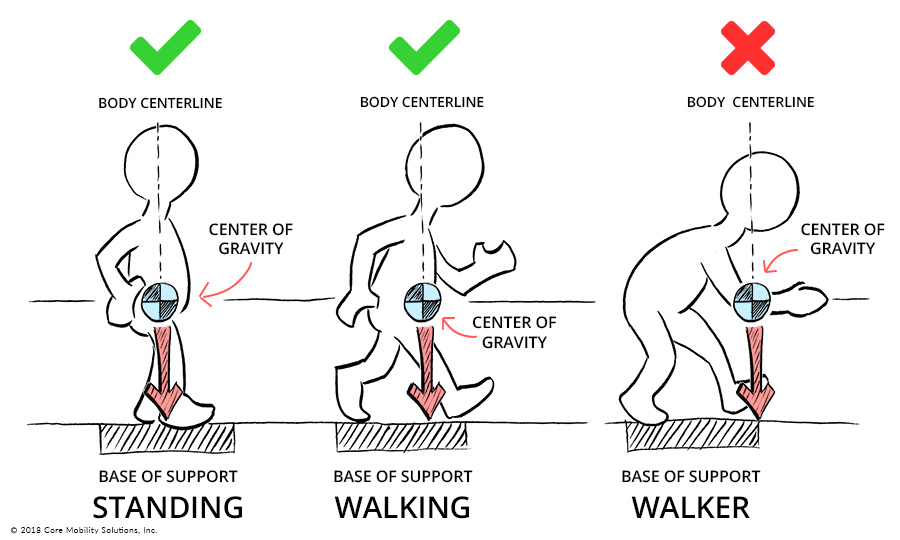
The center of balance is where the weight of the object is the most concentrated. If you support the object (e.g, put a finger right below the center of balance to give it support) exactly at the center of balance, it’ll, well, balance. You can find more information here.
Everything and everyone has a center of balance, even you! If you stand up against the wall, your center of balance is perfectly in the center. Now, if you try to pick up something on the floor, you’ll notice you’ll start to fall. This is because your center of balance has shifted and is no longer in the center! Once you start falling, your body makes a desperate attempt to shift your center of balance, and once you do, you are standing still with no problems.
The base is also important for stability. An object is stable as long as its center of balance stays above its base of support (like your feet or a table). If the center moves outside that base, the object falls.
Could This Be Happening To My Robot?
Yes! It is possible that the weight(s) on your robot are not evenly balanced, which means that physics has to kick in to stop your robot from toppling, which can mean random movements.
But it might not be the center of balance. Check out this blog post for more information about movement errors.
Everybody should check to see if the center of balance is the culprit before changing their code. Checking your center of balance is really simple (unless you want to do all the math). Hold up your robot and try to balance it on your finger. Move your finger until you find the perfect spot. Once it balances perfectly, check where exactly your finger is placed. If your finger is nowhere close to the middle, add weights to the other side until it is balanced.
You don’t need to stack Lego pieces to increase the weight, either! There is actually a technical Lego piece, a deadweight. You can place that on your robot to recenter the center.
It looks like this:
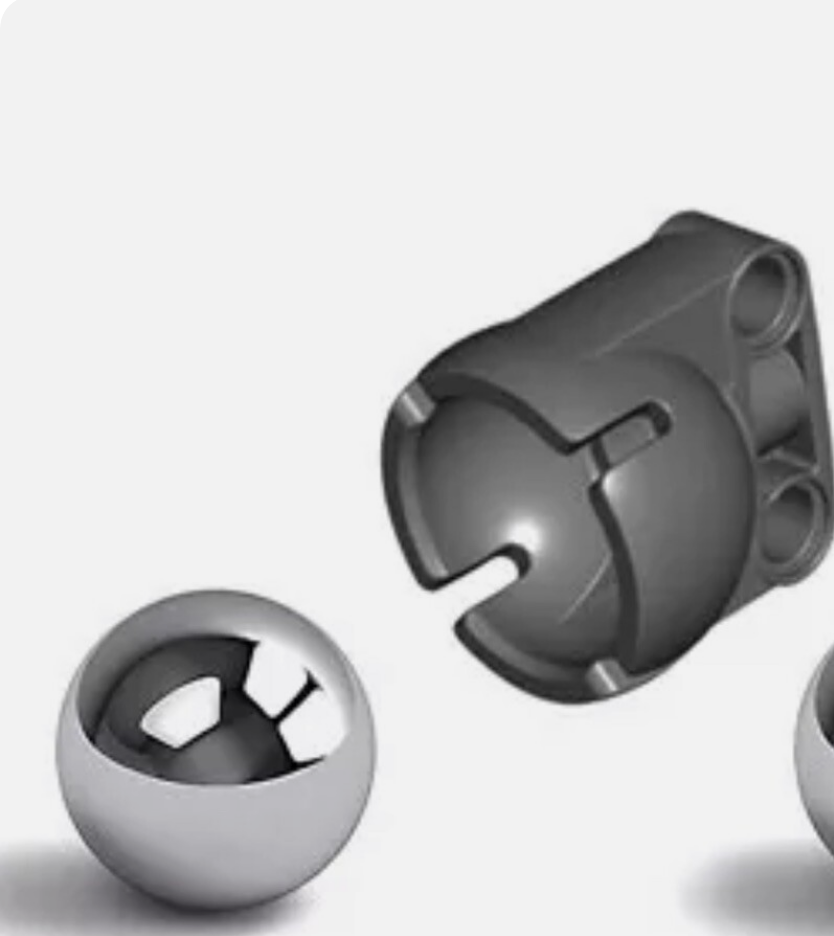
You can find it on eBay. Or, if you want a different sort of weight, there is also a Lego counterbalance piece.
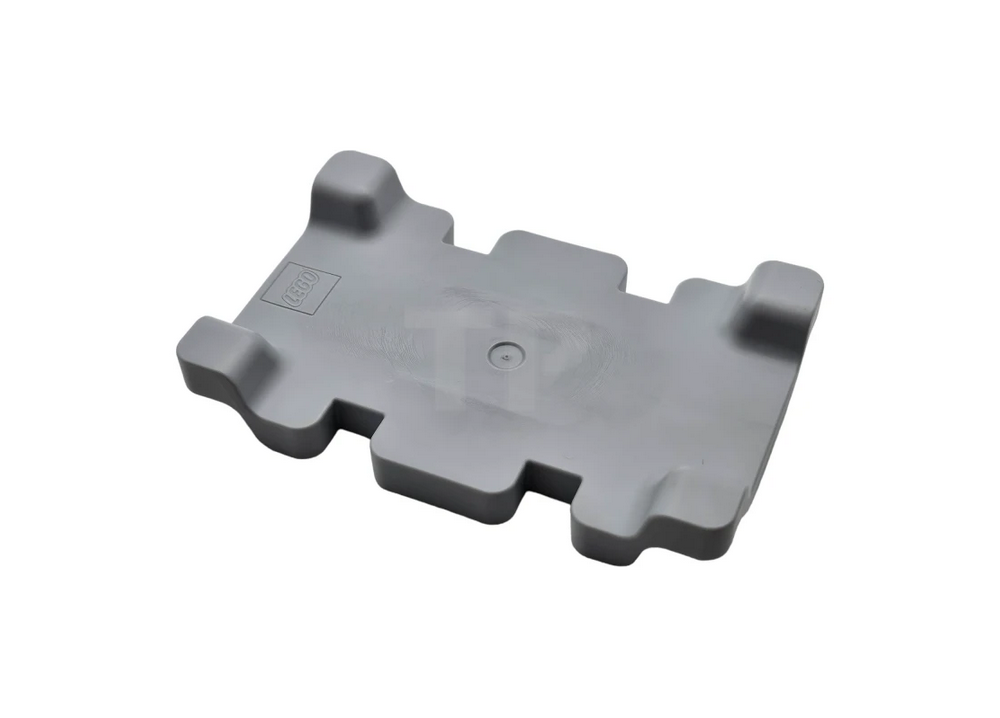
This is the Lego counterbalance weight. You can also find this on eBay or at https://www.toypro.com/us/product/53558/counterbalance-weight-7-x-11-x-2/light-bluish-gray
And that is why the center of balance for your robot matters, and how to fix it.